- Anubhav Sarker
- Published: 09/17/2026
- Last Updated: 09/17/2026
An AI CRM is customer relationship management software with built-in artificial intelligence. In practice, that means three things. It does routine tasks without being asked. It has a view on what a customer is likely to do next. And it can take the information it's been sitting on for years and hand you an answer while you're still on the call. A standard CRM stores what your team types in, and that's the whole job. An AI CRM reads what's stored and uses it to steer the decisions you're making while the workday is still going on.
That's the short version, and it hides a problem. "AI" on a pricing page now means anything from a button that fixes your grammar to an agent that answers customer emails at midnight, and vendors happily use the same two letters for both.
How AI works inside a CRM
Most AI-powered CRM software does its work on three levels, and the levels don't behave alike or cost alike, so it helps to know which one a feature belongs to.
The first level is assistive. This is the reading and writing help that sits inside screens you already use, and you've probably met it in your phone's keyboard by now. Ask for an email from a one-line instruction, and you get one. Ask it to soften the tone, or translate a message, or take a 40-message thread with a distributor and tell you the two things that were agreed, and it does that too. You still press the button and decide what to do with the result.
Predictive AI is the second level, and it's the one that needs your history. Instead of reading one record, it reads all of them, and it notices things a person would need a free weekend to find. Lead scoring is the familiar example: a new inquiry gets ranked by how much it looks like the inquiries that turned into customers, so the web form filled in at 11 p.m. from a company domain, asking about annual pricing, tends to score well. Forecasting does the same trick with open deals and tells you what's likely to close this quarter. Churn signals are the gloomier cousin, flagging a customer whose emails have quietly stopped. In every case, what you get back is a score or a flag. A person still decides what to do about it.
Agents are the third. You give an agent a job and a boundary, and it works without you. A deal moves to "lost," and an agent reads through the history to work out why. An email lands at support@ on a Sunday, and an agent drafts the reply and sends it before anyone has had coffee. Gartner predicted in August 2025 that 40% of enterprise applications would include task-specific AI agents by the end of 2026, up from under 5% at the time. Our own look at CRM trends for 2026 and 2027 put agents at the top of the list for the same reason.
The three levels stack, and that's why a vendor can say "AI CRM" and mean anything from a grammar checker to an autonomous reply agent. Ask which one they mean.
What AI in a CRM does day to day
Salesforce's State of Sales report, published in February 2026, based on a survey of 4,050 sales professionals, found that the average seller spends 40% of their time selling. The other 60% goes on updating records, writing follow-ups, and hunting for context. Those are the jobs an AI CRM takes on first.
Keeping records clean without typing
Data entry is the chore nobody schedules time for, and the fact that every AI feature depends on it is awkward, because a model that scores leads or predicts churn is only as good as the records underneath. There is a reason the same Salesforce report found 74% of sales professionals now focus on data cleansing, and 79% of high performers prioritize data hygiene compared with 54% of underperformers.
AI helps at both ends. On the way in, it reads an inbound email and creates or updates the matching contact, deal, or task, so nobody has to. On what's already there, it plays auditor: the same customer saved twice under slightly different spellings, a phone number sitting in the email field, a deal that's been in "Negotiation" for six weeks with no note on it. When the AI can write to records, your data gets better. When it can only read them, you at least find out what needs fixing.
Getting an email written for you
Email assistance is the feature most people use first because the payoff is immediate. Inside a contact or deal record, you describe the message you want, and the CRM drafts it with a subject line based on what it knows about that person. It'll summarize a long thread so a colleague can pick up a deal without scrolling through six months of history, suggest a reply, and proofread before you hit send.
The agent version goes a step further. A new email comes in. The agent reads it, looks up the answer in a knowledge base you've given it, and writes a reply in your brand's voice. Then one of two things happens, depending on how you've set it up: the reply goes out after a short delay, or it sits as a draft until a person approves it. So the support question that arrives at 11 p.m. gets an answer in minutes instead of at 9:30 the next morning, and the record is already sitting in the right pipeline when someone logs in. If you can't staff a night shift, this is where the whole thing earns its keep. Start in draft mode all the same. For a comparison of the tools that do this, see our guide to AI sales assistants.
Predicting which leads will close
Lead scoring and forecasting are the classic predictive features, and they're the ones most often oversold. Scoring tends to work once you have enough history for the model to learn from, which for a small business usually means a year or more of closed deals. Forecasting requires consistent stages and a team that moves deals through them as they arise, rather than batching updates on a Friday afternoon. If either condition is missing, the numbers will look precise and be wrong. Treat these as features you grow into over the course of a year.
What happens after a deal closes or dies
Two uses of AI fit small businesses especially well at the tail end of the sales cycle. Loss analysis is one. When a deal is marked lost, an agent reads the emails, notes, calls, and activities associated with it and reports the most likely reason, whether it was a slow reply or a negotiation that dragged on for three weeks. One post-mortem tells you about one deal. Ten of them, side by side, tell you about your team.
Cross-selling is the other. When a deal closes, an agent compares what the customer bought against your catalog and their history, then drafts a recommendation for a complementary product or service. Cross-selling is the kind of thing that only happens when someone has spare attention, and in a small business, nobody does. An agent has nothing but time.
AI-native CRM or a CRM with AI added
An AI-native CRM is built from the start on the assumption that agents will handle most data capture and updates: records are flexible, the AI reads across everything, and manual data entry is treated as a design failure. Attio, Clarify, and Coffee all position themselves this way. A CRM with AI added is an established product, built around pipelines and forms that people fill in, that has since gained assistive features, predictive models, and agents on top. HubSpot and Salesforce are in this group. So are Pipedrive, Zoho CRM, and Bigin.
Those features are real. If your team spends its afternoons feeding the system, an AI-native product will give some of those afternoons back. For a small business, though, the distinction matters less than the marketing suggests. Ask instead whether the CRM removes a chore your team has, what it costs per month once AI usage is factored in, and whether people will still use it after the novelty wears off. A five-person team with a support inbox that fills up overnight gets more from a reply agent inside a CRM it already knows than from rebuilding its data model. A team buried in manual enrichment might go the other way. Judge the outcome first.
How to use AI to optimize your CRM
Before you turn on any predictive feature, spend a week on the data the AI is going to read. Merge the duplicate contacts. Close the deals that died last year and are still sitting in "Proposal sent." Fill in the fields you care about and archive the ones you don't. It's dull, nobody opens a CRM to do this, and it still decides more than anything else whether the AI output is usable.
Then pick one chore, the one your team complains about most. For most small businesses, that's either first replies to inbound email or follow-ups after a call. Run one agent on that job for a month before you add a second.
Agents who answer customer calls need something to read: product descriptions, FAQs, pricing, and troubleshooting notes. Agents that recommend products need a catalog that's current. Give an agent nothing, and it will improvise, and you won't like what it comes up with.
Keep a person on the send button at first. Run in draft mode for two or three weeks, read every draft, and move to automatic sending only where the drafts were consistently right. IBM's Institute for Business Value put a number on the gap: 56% of executives said they had no process for reviewing generative AI output and fixing what it got wrong. That missing process is where the embarrassing email to a customer comes from.
Measure one number, and only one: time to first response, follow-up rate, hours spent on data entry, or cross-sell revenue. Record it before the AI starts and check it again after a month. If it moved, add a second agent. If it didn't, the configuration is usually the problem, and configuration is cheaper to fix than the tool.
One more route: Model Context Protocol (MCP) support. MCP is an open standard that lets an assistant like ChatGPT or Claude read from and act on your CRM data with your permission, so you can ask "which deals over $5,000 have had no activity in 14 days" and get an answer from your own records. You keep the CRM you have and add the assistant on top.
What to check before you trust an AI agent with customer data
Security is the question small business owners ask most about AI in CRM, and it's the one vendors answer least clearly.
Find out where the data goes. When an agent drafts a reply, your customer's email and your knowledge base are being processed somewhere. Ask whether that happens inside the vendor's own infrastructure or gets passed to an outside model provider, and whether the terms allow customer data to be used for training. At Zoho, Bigin's parent company, we own the full technology stack and run its AI without exposing customer data to external vendors' models. Whoever you're evaluating, ask for the same thing in writing.
Scope matters as much as storage. A reply agent should read the inbox it's attached to and your knowledge base, and nothing else. You should be able to see every action an agent took and flip it from automatic to draft at any moment, without a support ticket.
Inbound email is the other exposure. An agent that reads it will eventually receive spam, phishing, and messages written specifically to trick it. It should filter spam before it drafts anything, and it should never follow instructions that arrive inside a customer's email.
How AI CRM pricing works
AI CRM software is usually priced in two parts: a per-user seat fee and AI usage measured in credits, with each action consuming credits at a rate set by the vendor. It works the way prepaid phone minutes used to. Drafting an email costs a few. An agent that reads, checks, and answers a thread costs more. Each edition comes with a monthly credit allowance, and you can buy extra, but consumption varies by feature, so 1,000 credits doesn't translate into a fixed number of emails. Some AI-native products drop seats altogether and charge only for actions, and Attio's own comparison notes that other vendors meter credits separately from seats in a way customers only notice on the invoice. Whichever model you're offered, ask for the credit cost of the two or three actions you'll run most and estimate a month's usage before you sign.
How to use AI within Bigin
Bigin is a small business CRM from Zoho, and its AI runs on Zia, Zoho's own AI engine. The features below ship inside the paid editions, and the agents install without code, though each one needs something from you before it's useful.
Zia agents that run on their own
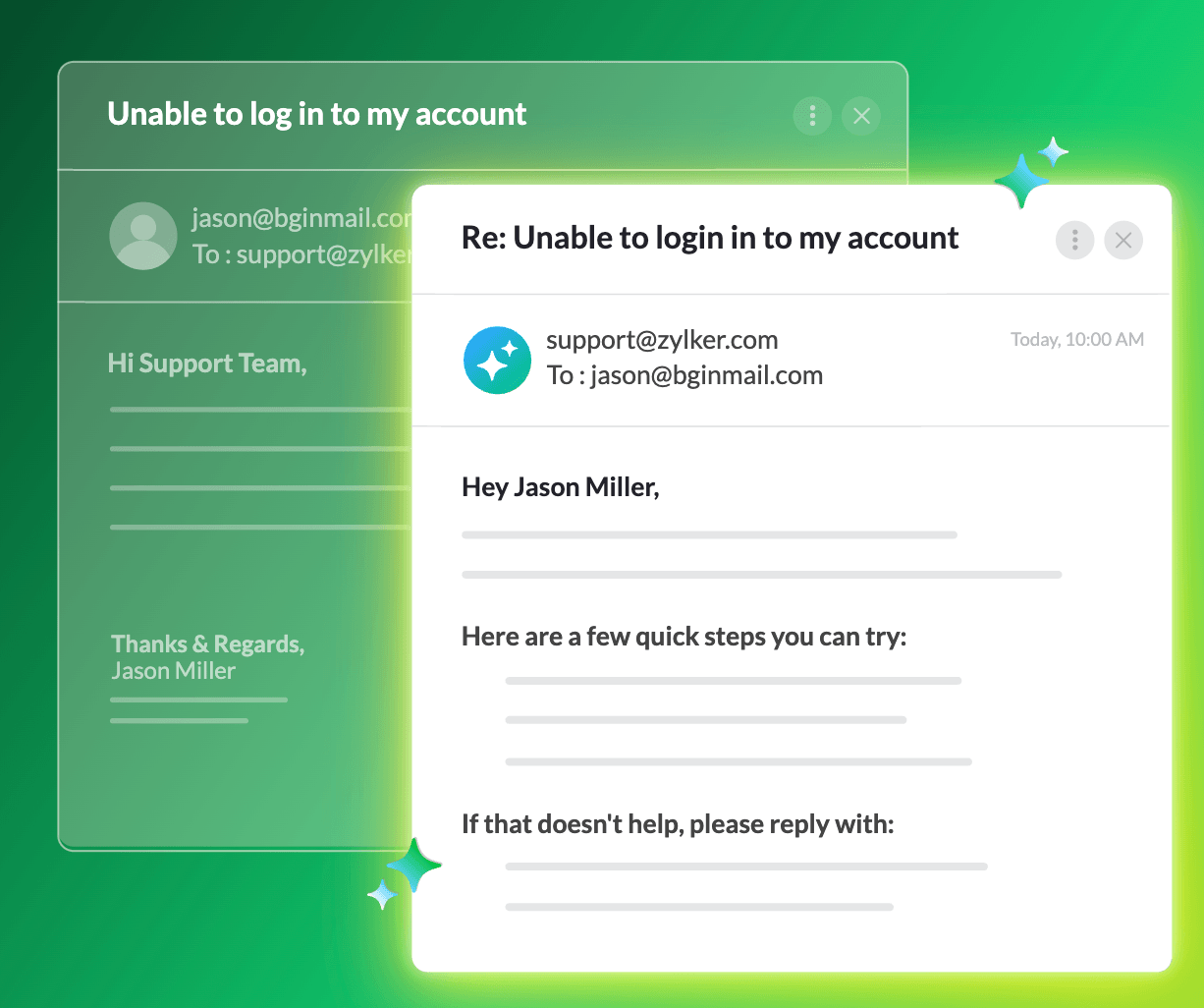
Reply Assistant sits on top of Email-In, the Bigin feature that gives each of your teams its own address, sales@ or support@, and drops whatever arrives there into that team's pipeline. You feed the agent a knowledge base, meaning your product information, your FAQs, and whatever troubleshooting notes exist. From then on, incoming emails are spam-checked, and the agent finds the relevant answer and drafts a reply in your tone. What happens next is up to you. Bigin's own example sets a five-minute delay and lets it send; the cautious setting saves everything as a draft for your team to approve. This is the agent that needs the most from you, because the knowledge base has to exist in writing, and very few small businesses have that. It usually lives in two people's heads. Budget an afternoon, perhaps a day.
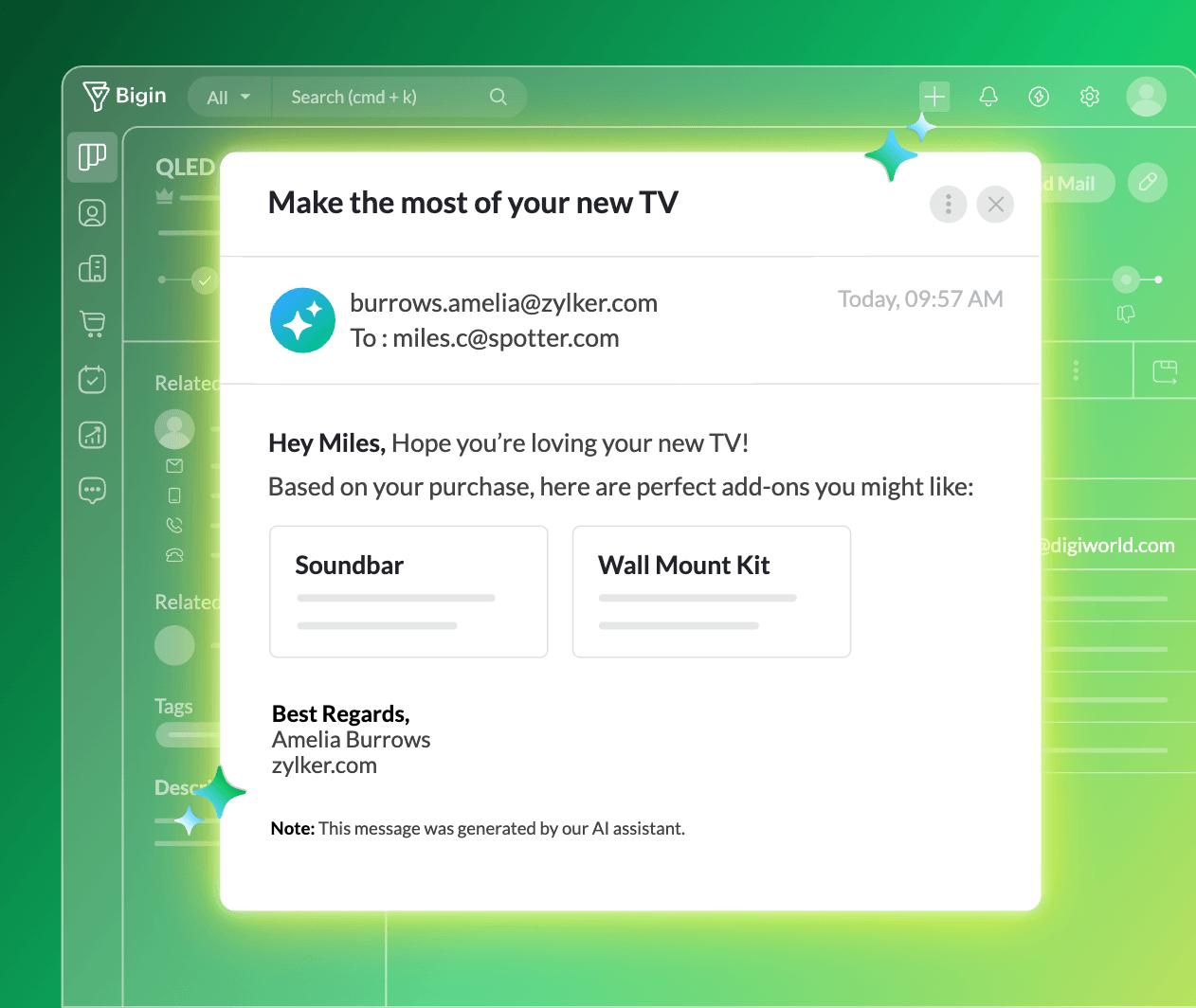
CrossSell Genie wakes up when a deal closes. It looks at what was bought, what else you sell, and what this customer has bought before, and finds the item that goes with it. Bigin's own example is a customer who buys a TV and gets a note about a soundbar and wall installation. The recommendation either goes straight to the customer as a personalized email or lands in the salesperson's queue as a draft, your call. It needs your catalog in Bigin, and it needs that catalog to be kept current.
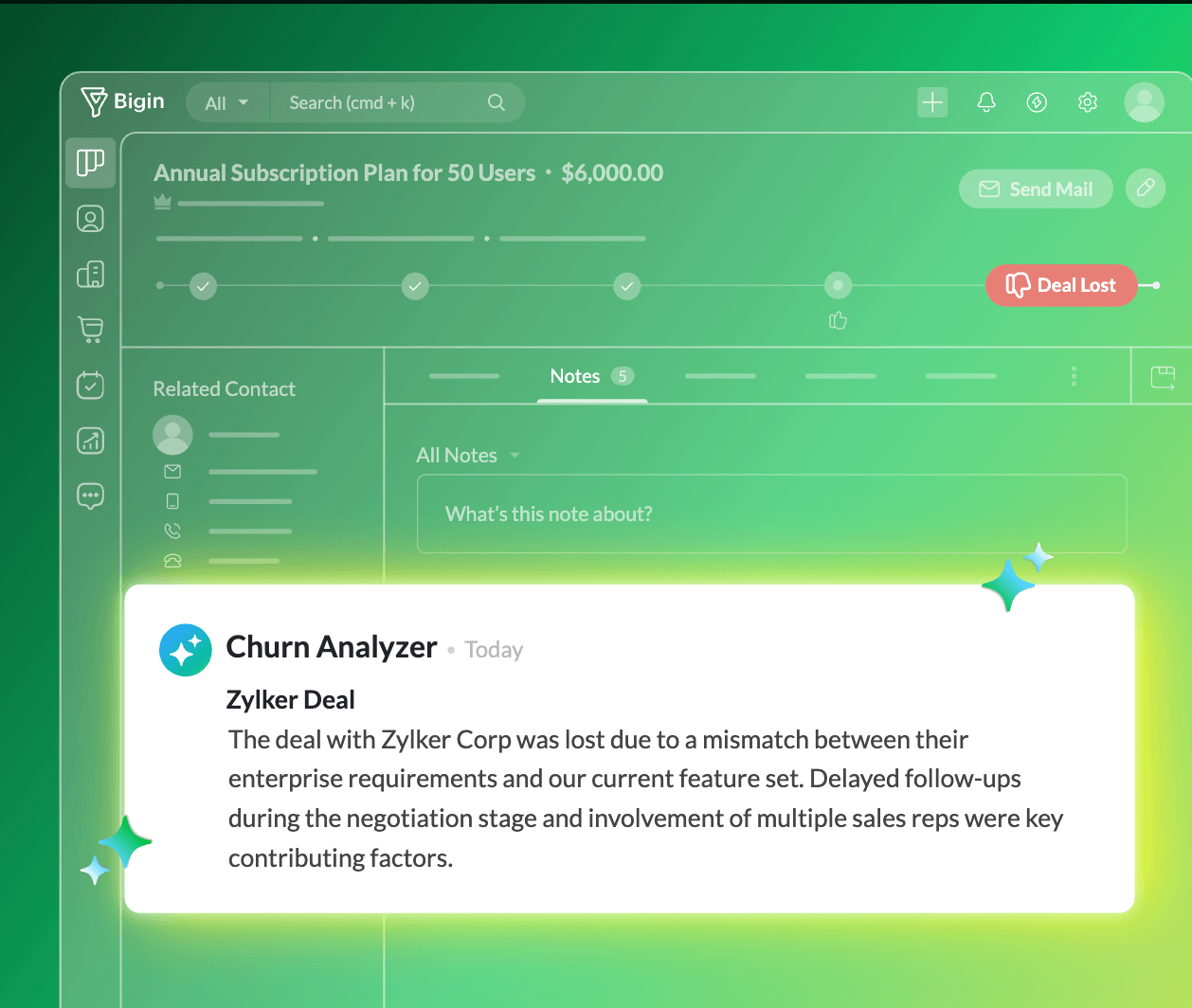
Churn Analyzer runs when a deal is marked lost. It reads everything on the record, emails, call log, notes, the lot, works out the most probable reason for the loss, and sends the finding to the rep or their manager. It's the easiest of the three to switch on because it already has everything it needs: the deal record. If you're only going to try one agent, try this one.
You install each agent from a list, give it the actions and training data it needs, leave it running, and step in whenever you want to.
Building your own agent
Zia Agent Studio is Zoho's agent builder. You describe the job, say a follow-up agent that nudges any deal idle for ten days, and deploy it inside Bigin through Zoho Flow. Bigin also says a Zia Agent Marketplace of pre-built agents for marketing, finance, and other functions is on the way, with no date given yet.
Zia, inside your email and records
In any deal or contact record, the email composer lets you tell Zia what you want to say, get a full draft with a subject line, and adjust the length and tone. If you'd rather write your own, Zia can rephrase, translate, shorten, or proofread it. Summarize buttons sit on email threads, WhatsApp conversations, notes, and full lead, contact, and deal records, and give you the context you need before a meeting or after a handover. Of everything in this section, the summaries are the least advertised and one of the best things in the product; they're what people use daily.
Connecting ChatGPT or Claude to Bigin
Zoho's MCP server for Bigin lets ChatGPT, Claude, Windsurf, or VS Code talk to your Bigin account. Once it's connected, you can ask, in plain English, which customers haven't heard from you since June, tell it to update a deal, or chain a job across Zoho apps: close a deal here and have the invoice created in Zoho Books, in one instruction.
AI on your phone
Bigin's mobile apps borrow the AI that's already on your phone. On iPhone, iPad, and Mac, that's Apple Intelligence, which handles the daily to-do list, call transcripts, writing help, and record segmentation. On Android, it's Galaxy AI for writing and email translation, plus Gemini Nano suggesting WhatsApp replies without anything leaving the device.
Which editions include AI
The three agents, the writing assistant, and record summaries are in Bigin's Premier edition, at $12 per user per month billed annually ($15 monthly) with 1,000 AI credits a month, and in Bigin 360, at $18 per user per month billed annually ($21 monthly) with 3,000 credits. You can buy extra credits. MCP support is listed across editions, including the free one. Check the pricing page before you decide, because AI allowances change more often than seat prices do.
Where to start
The least risky way to see what AI in a CRM does for you is a free trial of a CRM you'd use anyway, with one agent switched on in draft mode against one inbox. Bigin has a 15-day trial of its paid editions, and its AI page walks through each feature. Read the drafts for two weeks. If they sound like you and get the answers right, let the agent send. If they don't, you'll know exactly what to fix, and it costs you nothing to find out.