The CRM mobile app your sales team will actually use
- Published : May 6, 2026
- Last Updated : May 6, 2026
- 206 Views
- 5 Min Read
A CRM chained to a desktop gets updated too late, too rarely—and inaccurately, too. Here's what changes when your CRM fits in your pocket and how to choose the right one.
The gap between the deal and the data
Picture this: A salesperson wraps up a promising discovery call, scribbles a few notes on their phone's notepad, and promises to follow up by Friday. By the time they're back at their desk three hours later, two other meetings have happened, the scribbled note is buried, and the CRM still shows the prospect as "no response."
This isn't a discipline problem but a tools problem: when your CRM only works on a computer, every piece of information has to travel through your memory first—and memory is unreliable, especially over the course of a busy day on the road.
A CRM mobile app closes that gap by enabling your team to record, update, and act on customer data the moment something happens—not hours later when the details have faded.
The fastest-growing sales teams aren't necessarily the ones with the biggest pipelines; they're the ones with the most accurate pipelines. A mobile CRM is how you get there.
What a CRM mobile app actually does
The phrase "mobile CRM" is often used loosely, sometimes to describe a fully functional app, and sometimes to describe a stripped-down view of a desktop system. The difference matters a lot in practice. A genuine CRM mobile app gives you:
Full pipeline visibility into every deal, stage, and value, not just a summary
Contact history on demand, including calls, emails, notes, and past meetings
The ability to log calls, add notes, and update deal stages from the field
Push notifications for due activities, deal movements, and team updates
Scheduling tools so you can book follow-ups the moment a conversation ends
It shouldn't be a read-only companion app; if your mobile CRM lets you view data but not edit it, it has already failed at its primary job.
Four moments where a mobile CRM pays for itself
1. Right after a call ends
You've just spent 20 minutes on the phone with a warm lead. They mentioned a budget review in Q3, a competitor they're currently evaluating, and a specific pain point around their reporting workflow. You have 90 seconds before your next meeting starts. A mobile CRM means you capture all of it now, tagged to the right contact, logged against the right deal, rather than hoping you remember it at 6 PM.
2. Walking into a client meeting
You're in the elevator heading up to a client's office. A quick check of their contact record reminds you that the last conversation was about a delayed procurement sign-off, and there's an open note from your colleague about a pricing concern. You walk in prepared. That's the kind of moment that builds trust faster than any pitch deck.
3. At a trade show or industry event
You collect 14 business cards over two days. With a traditional CRM, you'd spend a morning entering contacts one by one. With a mobile CRM, each contact gets logged immediately after the conversation—with a note about what you discussed and a follow-up task set before you've moved on to the next booth. (Watch a short video on Bigin's Card Scanner)
4. Responding to a hot lead after hours
When a prospect fills in a form at 8:30 PM, you get a push notification. You check their company's profile in your CRM, see that a colleague spoke to someone there six months ago, and you send a personalized reply referencing that prior conversation—all from your couch. The lead gets a response within minutes instead of the next morning. Speed like that wins deals.
5×
More conversions when leads are contacted within five minutes
65%
Of sales reps who use mobile CRM meet their quotas
74%
Of companies say mobile CRM access improves data quality
What to look for when choosing a CRM mobile app
Not all mobile CRMs are built equally. Here's a checklist that separates genuinely useful apps from ones that just add to screen time:
It should work in poor connectivity
Field sales often involve conference centers with congested Wi-Fi, rural roads, and basement meetings. A good mobile CRM should handle offline use or low-bandwidth conditions gracefully.
It should protect your data
A CRM on a phone is a CRM that could end up on a train seat or the back of a cab. App-level PIN locking or biometric authentication is non-negotiable for any team handling sensitive customer data.
Notifications should be signal, not noise
The best mobile CRMs let you customize which activities trigger alerts, so you get notified when a deal moves or a follow-up is due—but not every time a colleague updates a note. Notification fatigue is a real productivity killer.
It should support your team's language
If you're running a distributed or international team, a CRM that only works in English creates friction. Look for broad language support across both iOS and Android.
Bigin: a mobile CRM built for small businesses on the move
Bigin by Zoho CRM is a pipeline-focused CRM designed specifically for small businesses, which means it's built to be used by people who wear multiple hats, not dedicated sales ops teams.
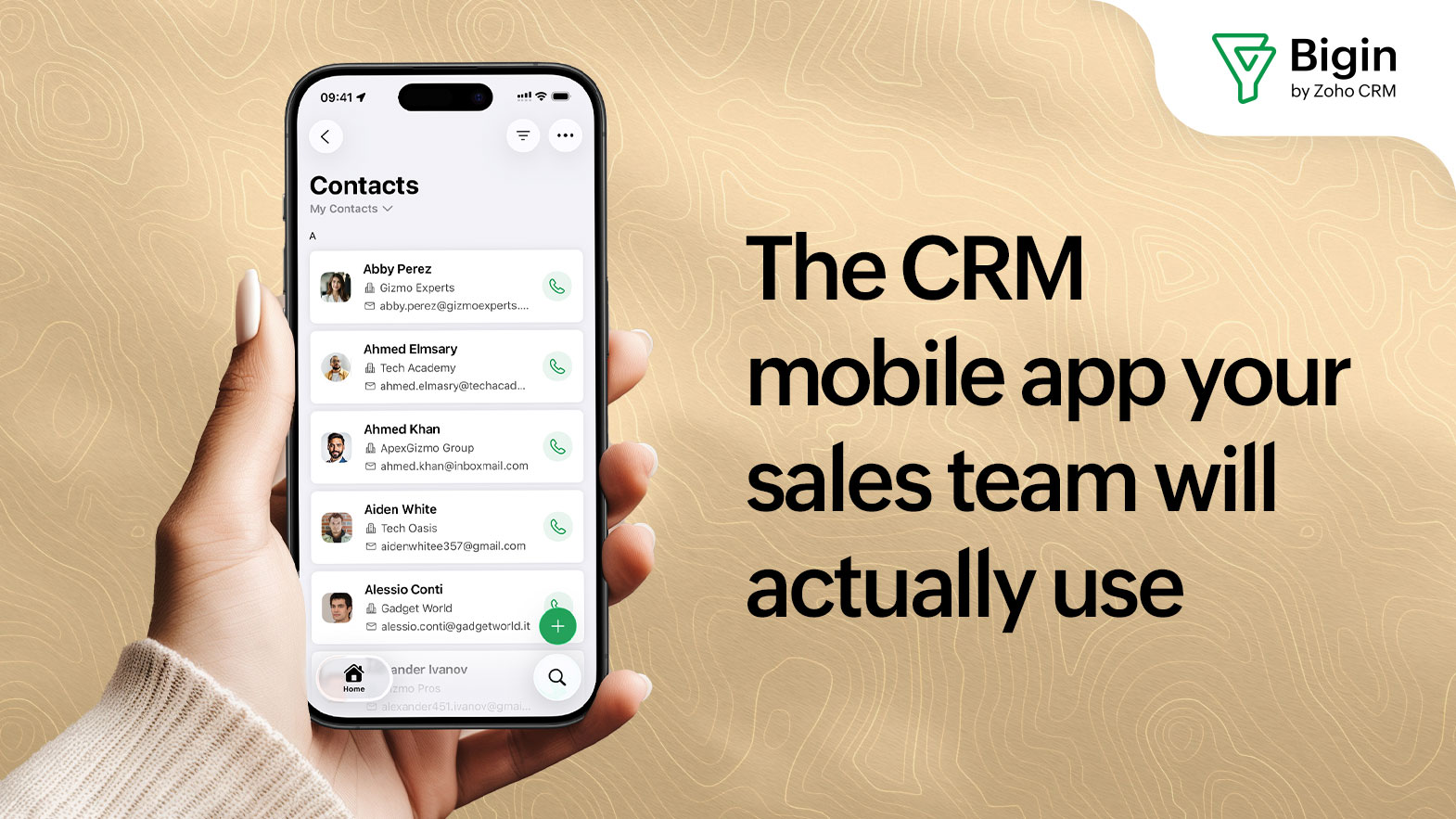
The Bigin mobile app, available on both iOS and Android devices, offers a full pipeline view, in-app calling and scheduling, instant push notifications, and a four-digit app lock for security. iPad users get Scribble support, meaning you can check off deals, delete records, and even search using an Apple Pencil. The app supports 28 languages on iPhone and 25 on Android.
What sets Bigin apart from more complex CRM platforms isn't just simplicity; it's that the mobile experience isn't an afterthought. The pipeline view on mobile mirrors the desktop, stage summaries are immediately accessible, and multi-deal management can be done entirely from a smartphone without ever feeling like a workaround.
If your team is in the field more than they're at a desk, start with the mobile app experience and work backwards. The best CRM for you is the one your team will actually update.
The real cost of a CRM you only use at a desk
Stale data isn't just an inconvenience; it's a revenue problem. Deals get stuck in the wrong stage. Follow-ups slip. Managers make forecasting decisions based on information that's days out of date. A sales rep who has to reconstruct their week's activity from memory every Friday afternoon isn't spending that time selling.
The shift to a mobile-first CRM isn't about technology for its own sake—it's about making the gap between "something happened" and "the CRM knows about it" as small as possible. When that gap closes, data quality improves, follow-up speed goes up, and the pipeline becomes something you can actually trust.
That's the promise of a good CRM mobile app: not more features, just less friction between the work that happens out in the world and the system that's supposed to capture it.
Available on iOS and Android. No credit card required.
 Tamanna
Tamanna is a product marketing professional who thrives at the intersection of product, storytelling, and strategy. She enjoys breaking down complex features into simple, outcome-driven narratives that connect with real business challenges. With a keen interest in SaaS growth, user behavior, and go-to-market strategy, she continuously explores how products can be positioned to stand out in competitive markets. Her approach combines research, clarity, and creativity to craft messaging that drives both awareness and meaningful engagement.